Monday, March 18, 2013
Wednesday night at StaffsTV, Friday's Interview and my filming at Stafford Library
Wednesday Night
On that night, I went to the uni for StaffsTV as I usually do every Wednesday. This was the last WhatsNext show of the year because Sophie and Matt that are in charge, its their last year this year. This week was a special week because we had an acoustic artist performing live.
My role for the night was camera operator (yippee!!). There were times where I had to slowly zoom in on the singer when peforming to create the live effect. It came out really successfully.
Overall the night went very well and I'm returning on Wednesday to help film a live sports event called 'Varsity' at Stoke's campus. I'll be based at Staffs campus as camera op. Not sure what I'll be filming yet but hey we'll see :D
Friday's interview
During the afternoon, I filmed an interview with a Stephen King fan that thought that not all of the his books are good. I was planning to film outside St Mary's church but the weather conditions weren't trust worthy. So we filmed in the library in the college.
During the interview, I chose the angle I wanted to film at but then decided to change it because it was against a window. So we changed it at the opposite sides. When I asked my questions, I was suggested by my interviewee that I could change them in some way, for example, instead of 'What don;t you like about Stephen King?' to 'What don't you like about Stephen King's works?'. This I thought really helped because it made more sense.
Overall, a very successful interview. I'm planning to ask my next interviewee for Friday.
My filming at the Stafford Library (cant remember which date but better late then ever)
During that afternoon, I went to Stafford Library to film some shots of the library and some Stephen King books for cutaways for my documentary. My lecturer helped me by getting permission before hand and they agreed. They even left out some books for me to film which was very helpful. I got some nice shots of these. Alot of the times I just experinemented on these to see if they would work. Very successful trip.
Recent feedback
Recently, my lecturer looked at my footage of my documentary that I have so far. He said he really liked the shots I have but they don't really explain about the author, it looks more like a corporate video of the library. He suggested to use some of the shots at different times. I have taken these advices on board. My solution is that I have borrowed some equipment and I'm going to take more experinmentle shots of my King collection of books, films etc.

Wednesday, March 13, 2013
My progress on my documentary and studio module report
Documentary
I have no finished my opening sequence to my documnetary which is great. I will show this to my lecturers this week and see what they think.
My next task is to collect people that arent fans of Stephen King fans, so I can get two sperate points of views from the fans and the 'non fans'. I have had a long hard search for people around the college. I went into 4 classrooms and the library and asked students sepreateley I have now got 2 people lined up for interviews. I just need one more person and to help this, I'm going to StaffsTv tonight and I will ask people there if they are interested (I hope). If not, I just have to make the most of with the two I have and I will extend the questions I have for them. My first date I have in mind is Friday this week.
Studio report
I have recently written some of my studio report, which has to be about the purposes of studio, equipment, crew, controlled area etc. It has gone well so far so good. For this, again, I will ask my lecturer to look at it and have some feedback. My lecturer today taught us today on how to set out our harvard referencing which really helps.
So onwards ever onwards
Monday, March 4, 2013
Evaluation of my film
As you have seen recently though out my posts that I have made a short film for an editing exam. Here's my evaluation of it.
For the preparation, I thought it went very well. I thought the story idea worked really well but I wish I had more read through's of the script so that I made sure I knew exactly what I wanted to do.
For the filming, I thought this went really successfully. The new angles I came up with I thought really worked and the acting was fantastic. What I need to improve on is to make sure I check which format I film in because I wanted to film in 16:09 format, not classic 4:03 format. My lecturer pointed this out during the exam. And for future reference, every new shot I take, I need to make sure the white balance is correct. But I'm getting better at focusing on the shots before filming.
The film itself, I think it was very successful. I think it is effective and subtle. The acting was great and the cinematography really worked. The only thing that needed improving is the POV running shots but the foli sounds that I made really helped that. Also, I think the white balance could of been better on the beginning of the film and I wish the tracking shots from the front of the boy could of been a bit smoother. So in the future, I will make sure I will book a dolly in advance.
Other than those improvements, I think the film really works. I sent it out to YouTube and put onto my Facebook page and I've had some good feedback so far.
The full evaluation will be within my film paperwork.
Sunday, March 3, 2013
How I edited my film in the exam
On Thursday I went through my editing exam, editing a short film I recently made and on Friday I finished it.
Here are the techniques I used through out editing the film:
First of all, I captured the footage I needed from the camera onto the computer. I did this by pressing the FILE icon and then onto the CAPTURE icon:

On then came on the screen that will show for when capturing the footage. I then pressed the PLAY icon. While thats playing, I press the RECORD icon which records the footage from the tape, onto the computer:

After I recorded the footage I needed. I had to name the clip I just recorded. After it is named, the file then goes onto the left side in the sequence pile, ready to be dragged to the timeline. This I did through out all the footage I collected:

After this is done, I then dragged the footage onto the timeline, ready to be edited:


For the film, I first of all wanted to make the opening sequence. So I imported the production logo I created on After Effects. I did this by going onto the FILE icon then onto the IMPORT icon. A short cut to this is by pressing CTRL-I. I then chose the file I wanted to import by clicking on it and then pressed the OPEN icon. After that, it then goes onto the sequence pile beside the the timeline on the left side:

I did the same thing with my other production company logos I made on Photoshop. With the icons, I cut some of the footage out because it would last a long time if I left all of it on. I used the CUT tool for this:

I also wanted add in titles to my film. I did this by going on the TITLE icon. Then on to the NEW icon and went onto the DEFAULT STILL icon. This brings out the methods you can use to create the title. I then dragged out a text box to type in the title I wanted. I then pressed CLOSE on the top right hand side and then the title was on my sequence pile. This I also did with the end credits aswell.


While editing I had to keep saving the work I have done. And I also had to render of what I've done. So I went onto the SEQUENCE icon and went onto the RENDER ENTIRE WORK area icon. This will render everything you have captured. A short to do this is simply press ENTER. This I did on many occasions:

I then wanted to add in effects of the editing though out this piece for example, a cross fade. You can find this by going on the bottom left hand corner of the timeline. I went onto the VIDEO TRANSITIONS icon and clicked on the DISSOLVE icon. I then chose the ADDITIVE DISSOLVE icon and dragged it on the clip I wanted:

For this piece. I filmed some foli sounds of footsteps and sounds of me taunting. I captured this footage and put it onto my timeline. I only wanted to keep the sound and not the image. So I pressed the LOCK icon on the left hand side on the timeline. This way, you can delete the area you want. See above.
I wanted to fix the volume on the sounds. So I then went on the EFFECTS on the left side and went onto the AUDIO EFFECTS icon and went onto the VOLUME icon. I then dragged the effect onto the audio I wanted. On the screen that's on the left hand side, this is where you can sort out the volume:

During one point of editing these sounds, I wanted to slow down one of the footstep sound effect so that it matches the footage of when the stalker is walking to the young boy. I did this by right clicking on the audio and chose the SPEED/DURATION icon. This way you can slow down the footage you want. You can choose 100% , 40% etc. I slowed it down to 90%:


After most of the footage was collected, I then wanted to collect the establishing shots to go at the beginning. I collected them successfully but the picture quality needed improving, so I went back to the EFFECTS on the left hand side. I went onto the VIDEO EFFECTS icon and then went onto COLOR CORRECTION. This way you can fix the image of the footage. I then went to the CURVES icon. On this, you can change the image by sorting out the colors of red, blue and green. This really helped to make my footage look better. This was the last thing I edited:

On the cross fade effects, I wanted to shorten the effect for the beginning of the film. So I clicked on the effect on the footage and dragged out back to shorten it. Because if I left it, the effect would last a long time:

Before I fixed the color correction, I wanted to add in the royalty free music I downloaded. This took some time because I downloaded more than one track. I imported the tracks in, put them on the timeline and listened to each track to see which one would fit the film.


I chose parts of two tracks that would fit the film. For the end track, I went onto the AUDIO EFFECTS tool on the left hand side. And then went onto the CROSSFADE icon and chose the effect called CONSTANT GAIN. This effect makes the track quiet at first, the volume increases and then the track plays normally. I chose this effect because the ending of the film, the stalker catches up with the boy and the track itself builds up more and more and then jumps.

Wednesday, February 27, 2013
Foli sounds and establishing shots finally done!
Monday
During this time, I concentrated on creating some foli sounds for my film. All I wanted was footsteps because the footage that contained running footsteps didn't work because of the ratteling of the boom mic in the background. So I though I could add them in.
I did this by going outside in my back garden and using the Z1 camera. I used the boom mic and pointed it straight at my feet, moved them and recorded them at the same time. To help this, I put on my boots to create a loud footstep sound. Here is an image of me getting prepared:

This day I thought went very successfull because I created some sounds that could be useful for my film.
Yesterday
During that afternoon, I finally finsihed creating the foli sounds and also filmed some estblishing shots for the beginning of the film.
For the foli sounds, I went back to using my trainers because in the film, I used my trainers for the stalker. For all the background sounds, I actually went back to the brook and filmed my footsteps there. This was slightly challenging because there was a rubbish truck in the background. So I had to wait for a bit. But then when the truck was gone, time was mine! The foli sounds came out really well through out the footage, which is great because they will really work for the film.
For the estblishing shots, I went near the end of Chestnut Road (near where I live) and filmed a shot of the street there. It took some time to prepare because I wanted to make sure that the image looked good. I wanted to use a shot of where the image would be zoomed in and then it would zoom out to view the whole of the road. I used the manual zoom to begin with but I wanted a particular speed to the zoom, so I found out how to switch it back to automatic. Here is an image of the switch to change to manual or automatic:

I finally got the shot I wanted and it looks really good on the footage. I wanted to refilm these shots to begin with because on the previous footage, the weather was brighter than the previous footage. This would mean bad continuety. But these shots that I have refilmed look alot better.
Also, I have now caught up with the paperwork that is needed for the film aswell so now I feel prepared for this upcoming exam.
Saturday, February 23, 2013
Yesterday's filming of my short film for the upcoming editing exam.
Yesterday, my younger brother and I went filming my short film. We managed to get it done in one day and went very successfully. Even though the temperatures were freezing, it still went really well.
I made sure the focus was right at all times and made sure the white balance was correct. I think the shots are going to be very effective and my younger brother did a great job at acting. There was a time where I did change shot because I thought this one would work very well.
Overall, a successful filming day. Here are some images of the shoot:


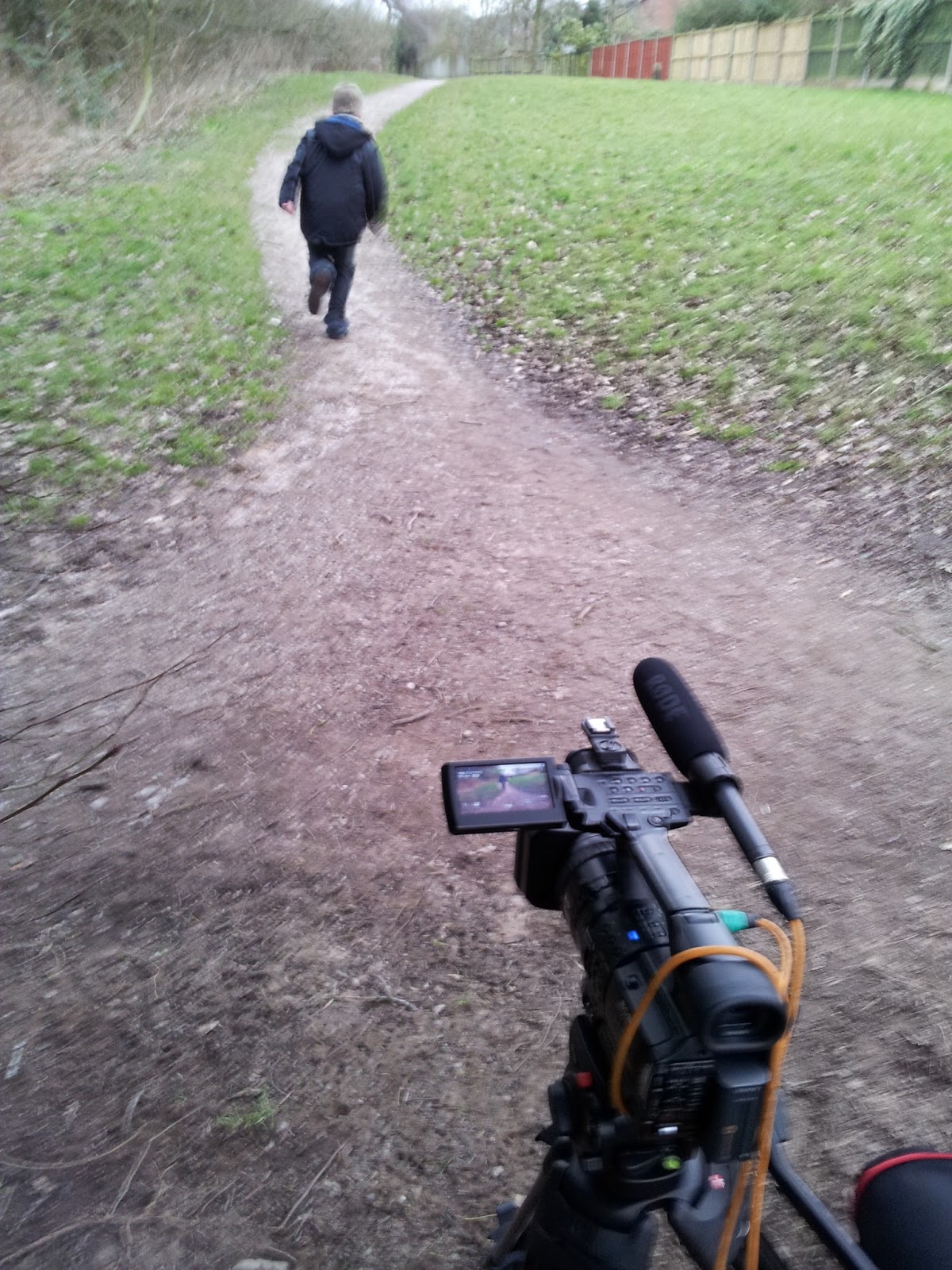
I forgot to mention, there was a time of where I wanted to use my brothers bike for a dolly for the camera. I wanted to use this for a smooth tracking shot but unfortunately this didn't work because it was hard to keep the bike balanced and there was a slight creaking sound as the bike moved. I tried this by holding the camera on the seat of the bike. So in the end I had to keep the camera as steady as I can and walk with it. Here is an image of me trying to do this:

Re shoot of shots of my documentary + my camera assisting role at StaffsTV
On Wednesday during the day, I spent some time re-shooting some shots for my documentary. As you saw before, I have done the tracking shots of my King book and film collection in the previous entry. On this day, I re-shot the panning and still shots of single King books I mention. For example Misery, Salem's Lot, The Stand etc. I really focused on making the shots look good and this time I used the Z1 camera and a tripod instead of a digi cam. Here are some images of the shoots taking place:


Overall, I think this went successful because the shots look more clear, the movements are smoother and the lighting looked clear.
My camera assisting role at StaffsTV
During that evening, I went to the uni campus to StaffsTV for the WhatsNext show. This time, my role was being camera assistant. This week was music week and the band came over to play a live show. The band was rock/pop group called Neomantix. I met the band in person before they played and they were really nice. There were times where I didn't have anything to do so I was always asking if help was needed. Here are some shots of the set being prepared:


Overall, very successful night, even though there wasn't alot of crew members. Also, the band are worth a listen. I couldn't help but nod my head while we were filming.
Subscribe to:
Posts (Atom)